Quick Start Demo Coming Soon
A 5-minute walkthrough covering deployment, agent installation, probe configuration, and dashboard usage.
Screenshots
Key interfaces and features
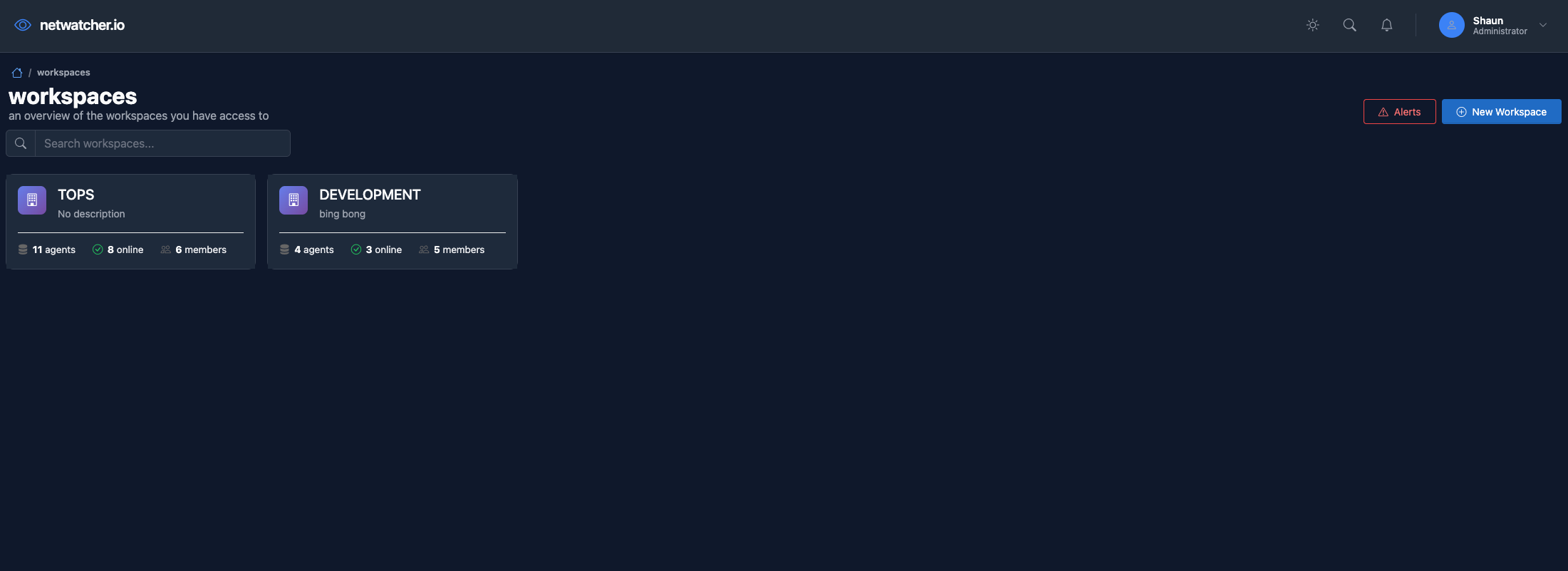
Workspaces Overview
Multi-tenant workspace management with agent counts, member access, and quick workspace switching.
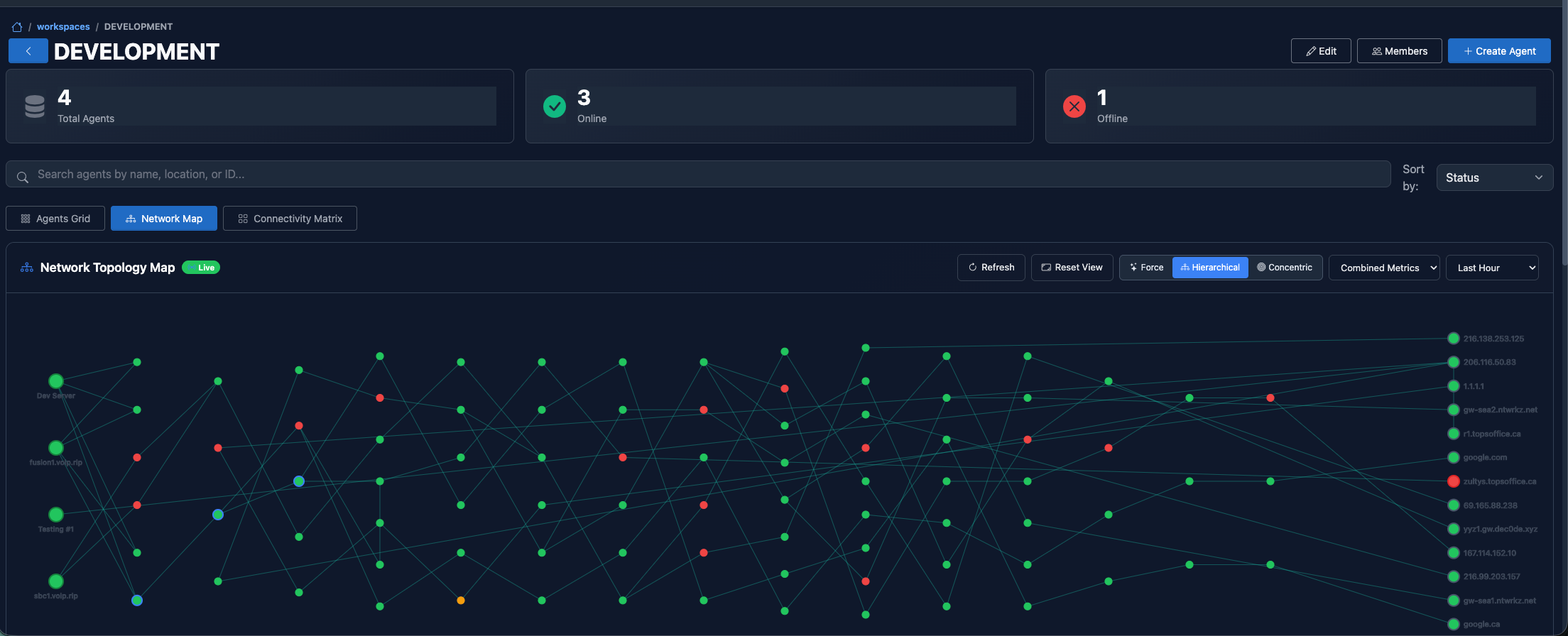
Network Topology Map
Interactive D3 visualization showing agent relationships, network paths, and real-time connectivity status.
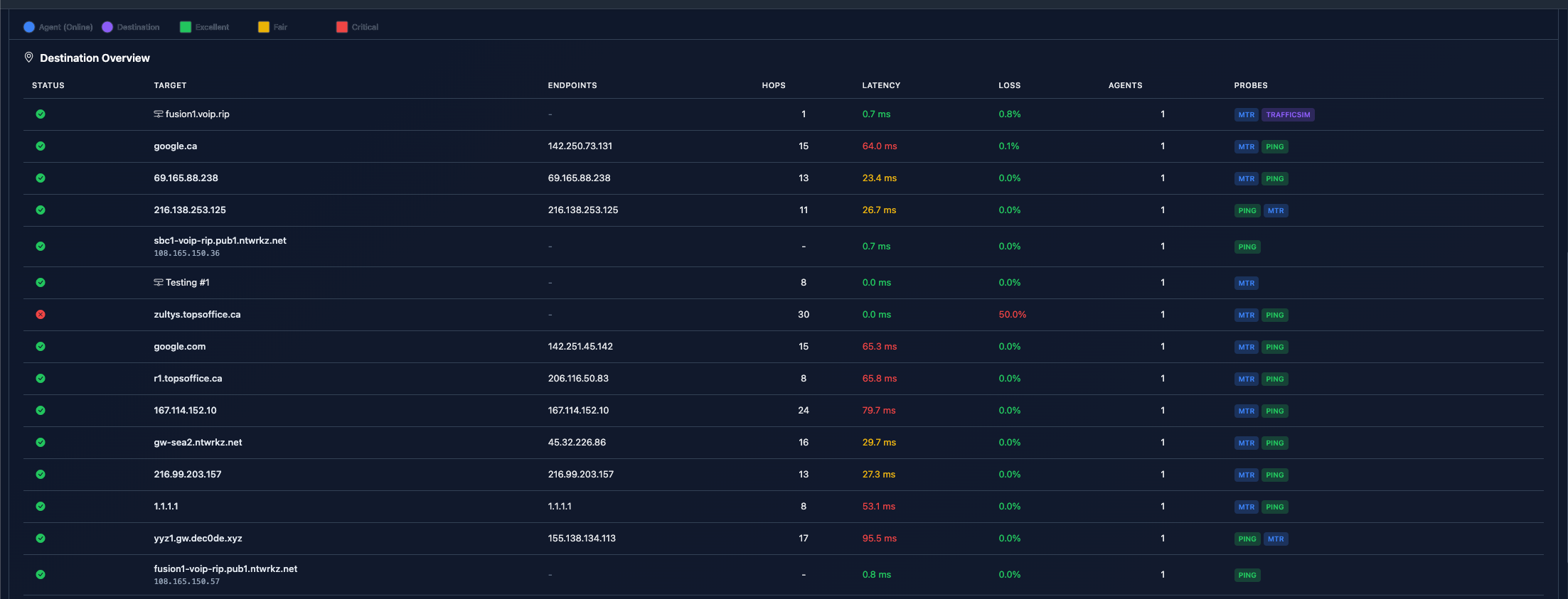
Destination Overview
Comprehensive probe listing with targets, endpoints, latency, loss, and agent assignments at a glance.
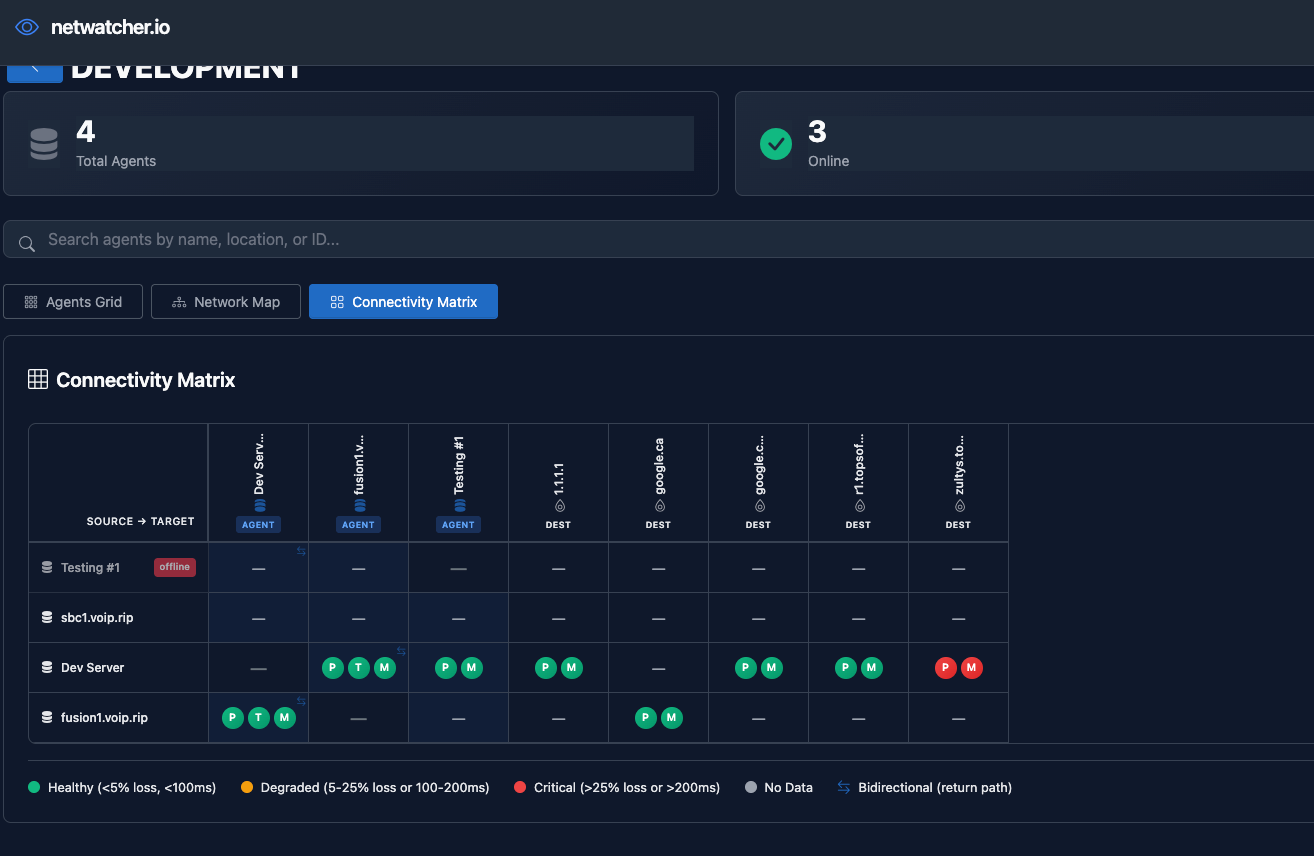
Connectivity Matrix
High-density mesh view showing all agent-to-target relationships. Color-coded health status at a glance.
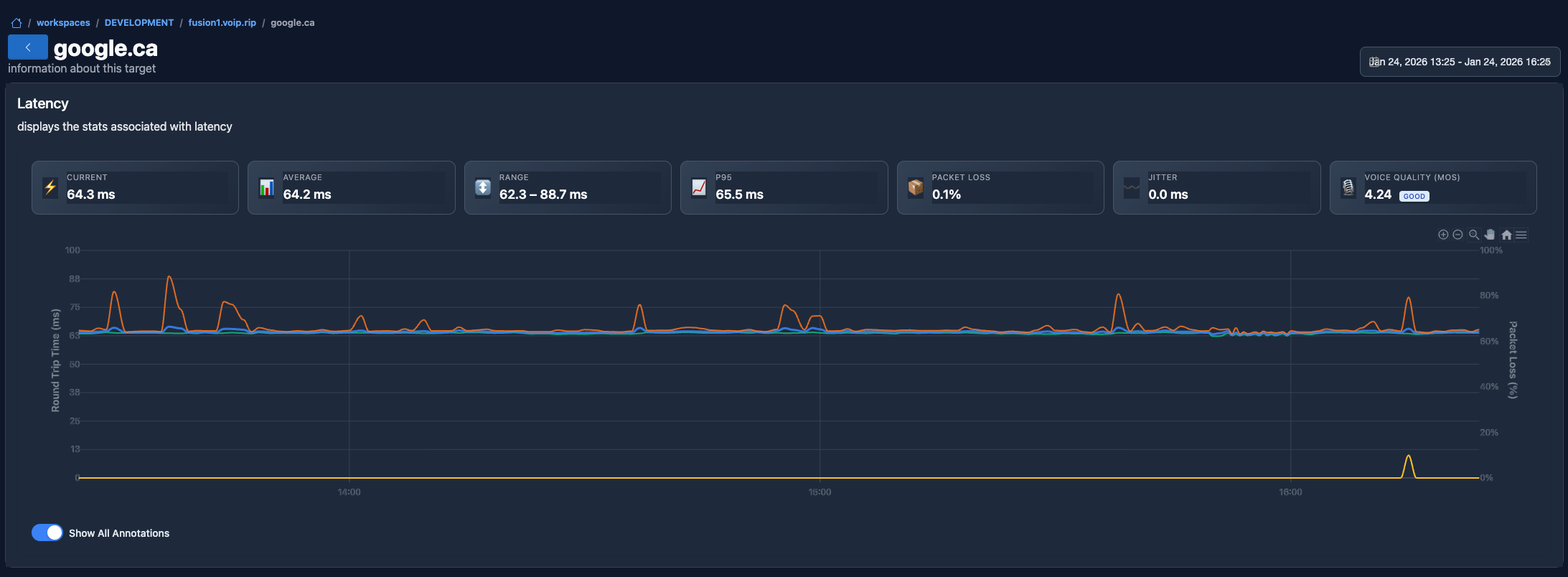
Latency Metrics Dashboard
Real-time latency, jitter, and packet loss charts with statistical summaries and trend analysis.
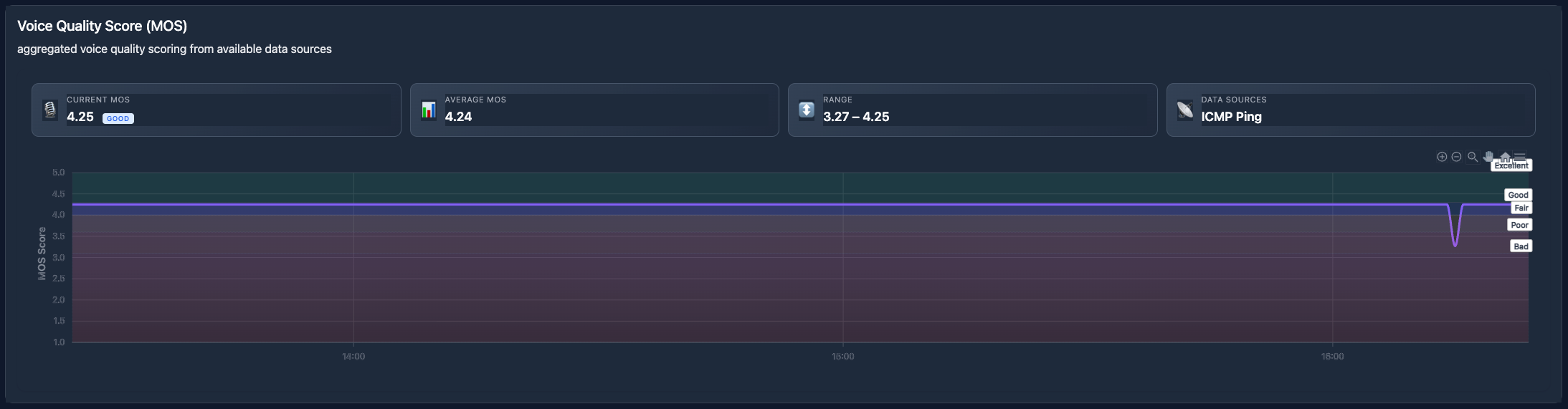
Voice Quality Score (MOS)
Aggregated voice quality scoring from multiple data sources. Current, average, and range metrics for VoIP monitoring.
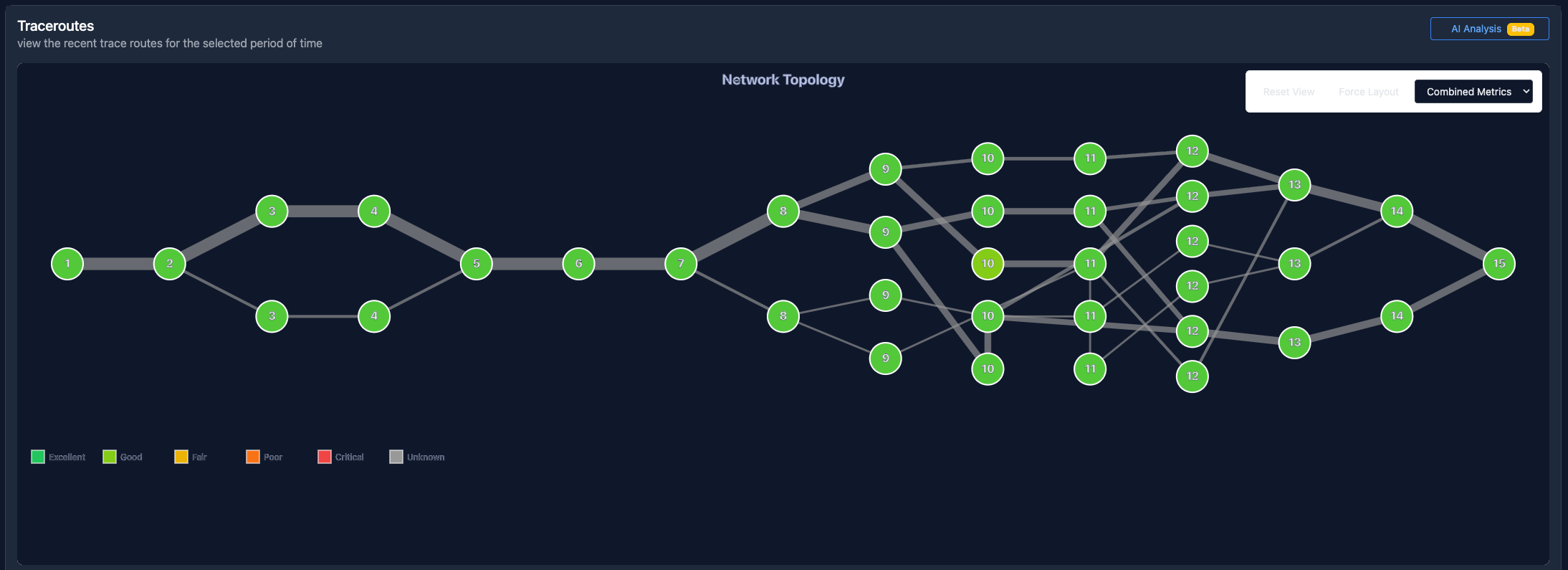
Traceroute Topology
Interactive network path visualization with shared hop detection, status indicators, and AI analysis.
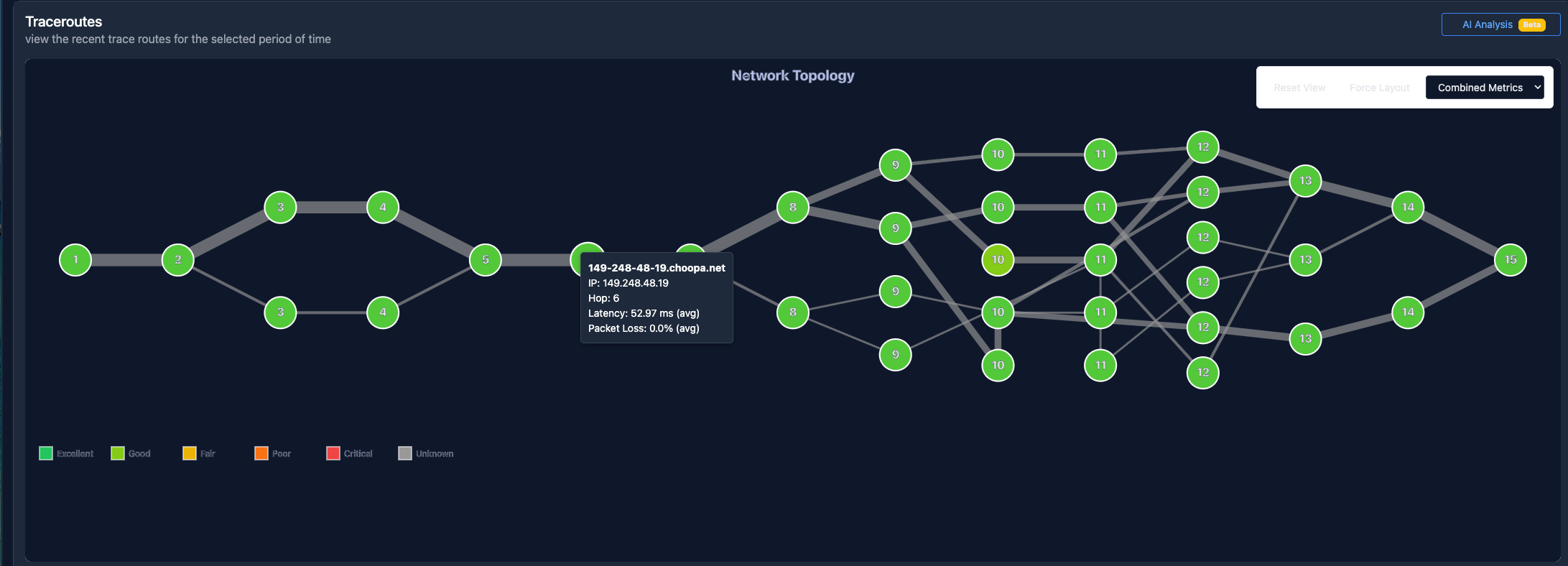
Network Path Details
Hop-by-hop details with hostname resolution, IP addresses, latency metrics, and packet loss analysis.
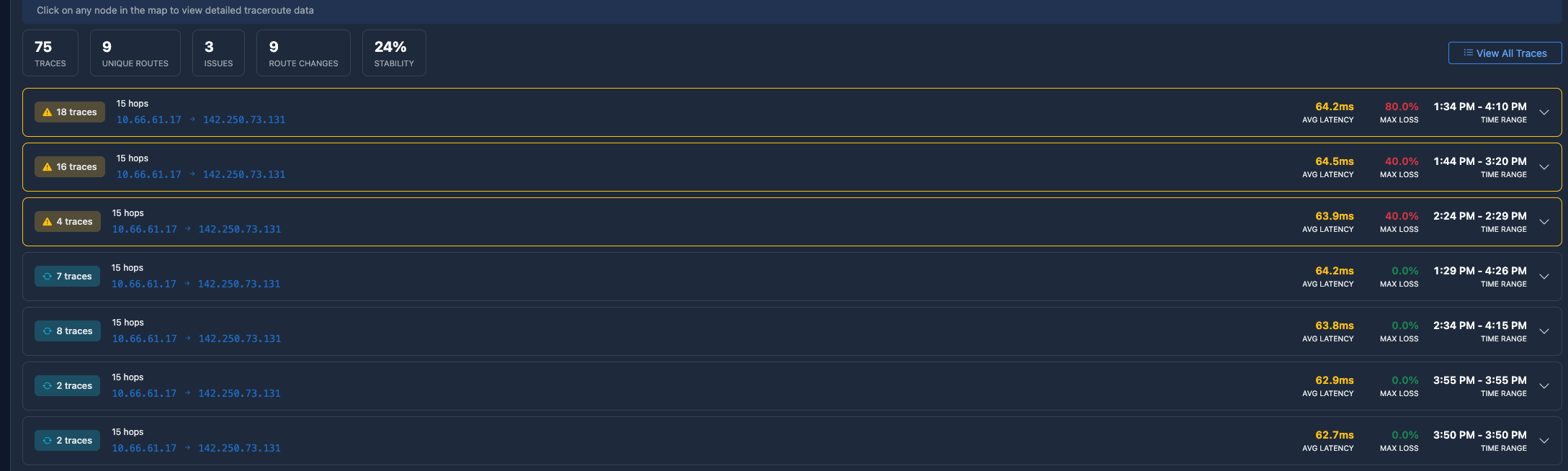
MTR Trace History
Historical traceroute data with hop counts, latency trends, and quick access to view all traces.
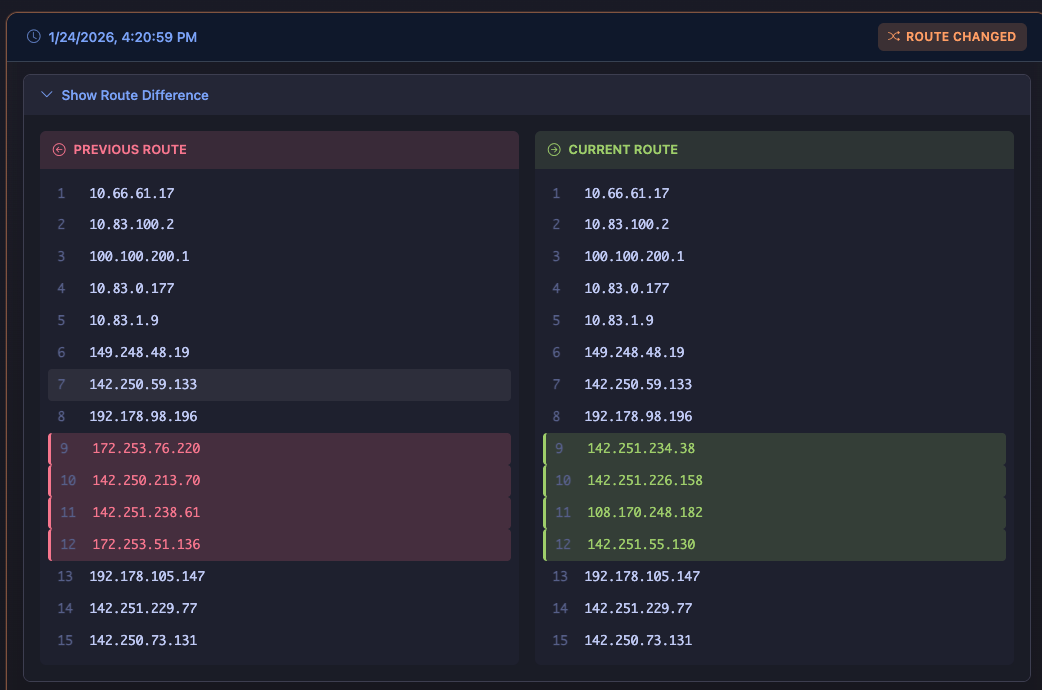
Route Change Detection
Side-by-side comparison of previous and current routes. Automatic detection and highlighting of path changes.